
Lan-Secure Wireless Protector
Wireless auto disable when LAN/Ethernet is detected on computers that connected to wired network and re-enable on disconnect.
Wireless Protector
Disable Wireless When LAN Connected

Wireless Protector software automatically disable wireless when LAN/Ethernet is detected on computers and docking stations that connected to network and re-enable the wireless protected devices when the wired LAN/Ethernet cable is disconnected. The software wireless auto switch capability helps to secure users on IT environments from un-trusted connections that can be used by potential intruders as a network bridge and also prevents duplicate network resources usage.
Wireless Protector is acting as a server to all protected computers and can be deployed through the software management console or through any 3rd party deployment system by using the software deployment MSI/OSX installation package. The software powerful engine can secure any number of computers by installing a remote service on the protected computers. It is providing easy-to-use administration interface including auto discovery, auto scanning, reports, exporting and database capabilities. The software also collects activity logging with optional actions on wireless devices that disabled upon detection of wired LAN/Ethernet connections.
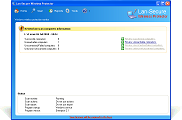
Protection Dashboard Summary
Protected wireless computers dashboard including total successful, unreachable, failed and unknown computers protection events and current software activity monitoring status.
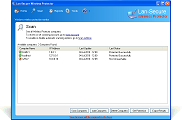
Scanning Monitor View
Scan monitoring view of protected computers including disabled wireless and endpoint devices upon wired connection and optional management and security capabilities.
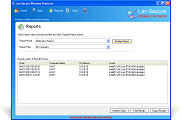
Activity Logging Reports
Real-time activity logging reports for network security and management administration of disabled wireless and endpoint devices from wired docked protected computers.
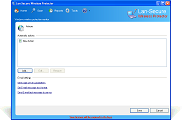
Automatic Actions Capabilities
Automatic actions options including email messages, syslog notifications and windows execution command upon receiving specific event notification from protected computers.
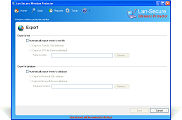
Automatic Export Capabilities
Automatic exporting capabilities for text files and windows SQL/Access ODBC database including protected endpoint devices events and current protection status.
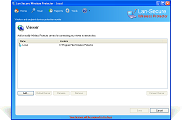
Remote Control Viewer
Remote control viewer option that provides management administration interface from remote sites including optional selection of administration permissions.
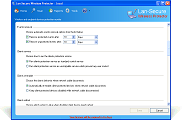
Events Removal Options
Provide automatic notification and protection events removal options for management and administration of the collected events on network organization protected computers.
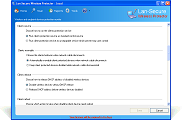
Unstoppable Protection Service
Provide optional unstoppable client protection service mode to prevent computer local administrators from stopping the protection service and keep it running constantly.
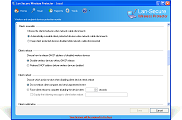
Auto Delete Clients Option
Provide optional automatic deletion of inactive clients after specific number of days from the software database to prevent the software from using extra licenses on inactive clients.
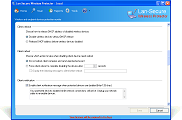
DHCP Release Option
Provide automatic DHCP release option before disabling protected wireless devices to help reclaim new wireless adapters IP addresses when the wireless devices are re-enabled.
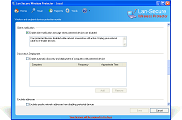
Client Notification Message
Provide automatic editable client notification message that will be displayed when wireless and endpoint devices disabled upon wired connection on the protected computers.
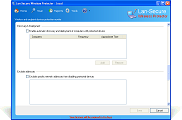
Auto Discovery Scanning
Automatic computers discovery and scanning options for active auto switching protection of network computers from domain, workgroup or IP addresses range.
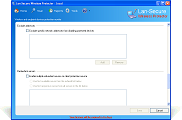
Exclude IP Addresses
Provide editable exclude list of IP addresses ranges that prevent from specific wired LAN/Ethernet network addresses to disable wireless and endpoint devices on protected computers.
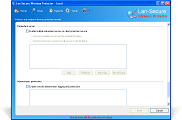
Daily/Weekly Alerts Reports
Provide multiple redundant servers option for clients protection service installation on distributed environment including first available or first responsive server options.
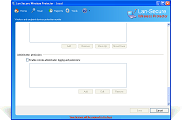
Server Administration Permissions
Provide optional server administrations permissions that enable to control the monitor console operations and viewing options that will be available for specific system administrators.